Emergency Deletion of Saved Passwords
There may come a situation when you need to immediately delete all passwords stored on your computer: in the browser, saved in a text document, or stored in password managers. You might have just a couple of seconds, or perhaps no time at all, and in this case, Panic Button – a data destruction program – will help you.
Deleting Passwords from the Browser
It's very simple here: Panic Button has a feature in its settings for deleting saved passwords in the browser. When Panic Button is activated, all passwords will be securely destroyed with no possibility of recovery. The program deletes passwords saved in Mozilla, Chrome, Edge, Opera, and Yandex.Browser. In fact, this list is significantly broader, but proper operation with other browsers is not guaranteed.
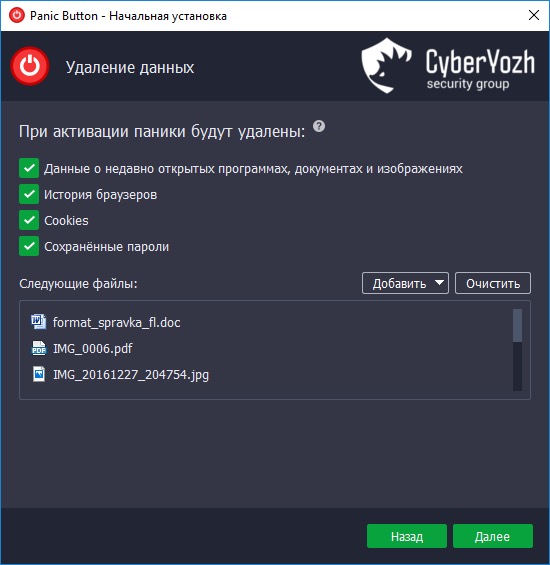
In addition to passwords, you can clear the history of visited sites and cookies stored on the device. However, it is important to remember that passwords synchronized in the cloud will not be deleted and can be restored if access to the storage is obtained. Earlier we already told you about the dangers that users face when storing their passwords in the cloud.
Deleting Files with Passwords
We hope you have switched to storing passwords using a password manager; however, even if you keep them in a text document, the method described below will help you urgently destroy saved passwords.
When activated, Panic Button will unmount all mounted password files, delete them (if they were added to the deletion list), clear the RAM where valuable data may be stored, and shut down the computer.
To do this, you need to add password files to the list of data to be deleted upon activation in the program settings. Of course, do not forget to make a backup and store it in a safe place so that you can easily restore the destroyed data later.