What Information Does VirtualBox Store About Users
The virtualization system VirtualBox firmly holds the palm of leadership among individuals due to its cross-platform capabilities, simplicity, and lack of usage fees.
A significant portion of users employs virtual systems to conceal information about opening any files or connecting external drives to the computer. At the same time, you should understand that VirtualBox stores some data about the virtual operating systems used on your computer, and this data should be deleted if it constitutes a secret.
We will not consider the system log that saves information about the launch of the VirtualBox program. I propose to examine where and what data VirtualBox stores about our virtual systems and our activity. Let's start with the general program logs of VirtualBox.
Like many others, the VirtualBox program has its own log where it records events occurring with the program from launch to changes made in the settings.
You can find it at the following address:
Windows: User/.VirtualBox Linux/macOS: /home/User/Libraries/VirtualBox
Also, depending on system settings, this folder may be hidden. Refer to the search for opening hidden folders; for example, in macOS, you need to press command+shift+>.
Here is an example excerpt from the log file. Log files should be opened in a text editor: Notepad in Windows, TextEdit in macOS.
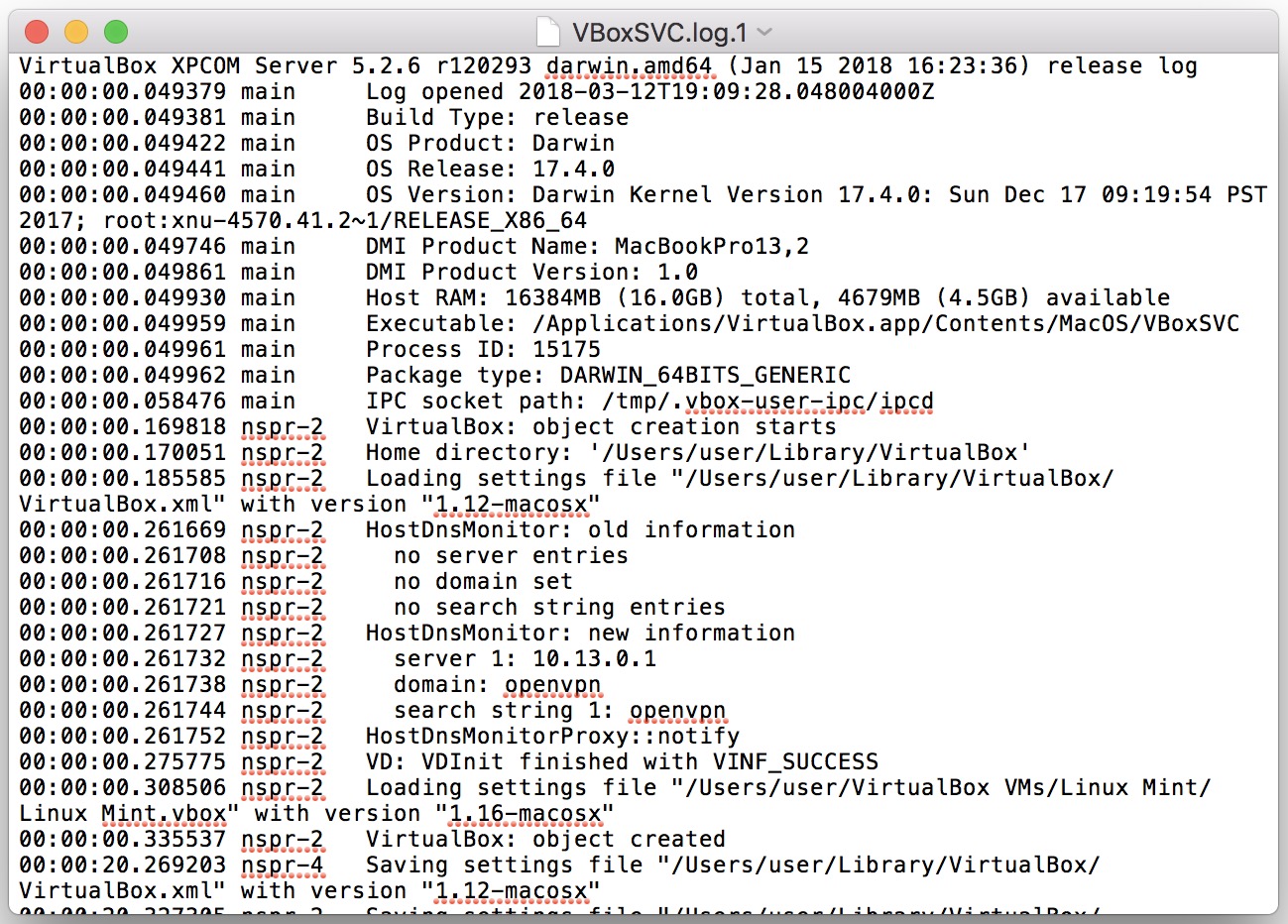
This log file was created when a virtual machine was set up for one of the systems. Even a user who is not very familiar with VirtualBox will immediately notice the information about the operating system and the date with the exact time.
We see that any change in the virtual OS related to the resources of the host system is recorded. From this log, one can learn which systems the user utilized, when they did so, how long, and how actively.