Data Theft via Web Cache Deception Attack
Data Theft via Web Cache Deception Attack
In the chapter on protection against identity theft, I discussed preventive measures, the first of which is comprehensive security, which includes not only device protection but also knowledge, skills, and habits.
One such habit is checking all received links for phishing to prevent situations where an attacker forces you to visit a fake site instead of the original. The simplest way is to offer you fasebook.com instead of facebook.com. This substitution can easily be detected by any phishing protection system or your attentiveness.
Many advise paying attention to the https certificate, but I would not overestimate its significance; on the black market, you can obtain an EV certificate for phishing sites for good money, which browsers highlight in green.
The example above is a child-level phishing attack based on social engineering, but phishing would not be so dangerous if it did not have much more effective methods in its arsenal. Typically, they are based on various vulnerabilities and work until they are discovered by developers or researchers, but until that moment, they operate with incredible effectiveness.
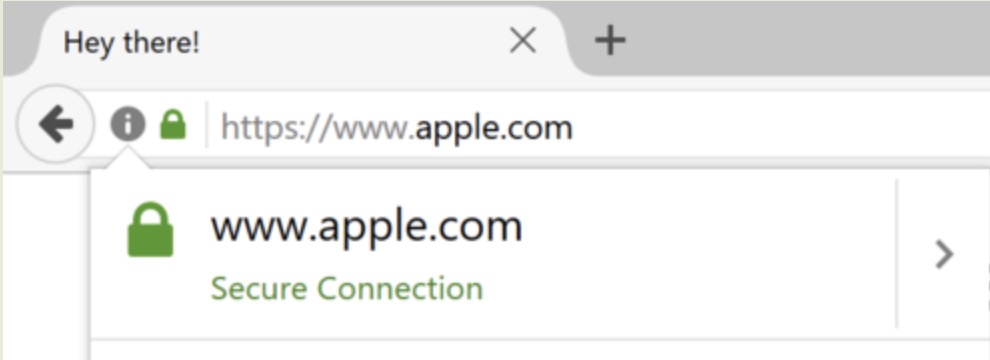
One such method was the use of unicode characters that visually resemble Latin letters, but for the browser, of course, these are different characters. In 2017, researcher Zheng Xudong registered a domain visually indistinguishable from apple.com, but actually consisting solely of unicode characters. This attack was effective against users of Chrome, Firefox, and Opera browsers. To date, the problem has been fixed by browser developers.
But there is an attack significantly more effective than the one described above and still incredibly dangerous, which is web cache deception. It was discovered in 2017 by Omer Gil, an employee of the Israeli company EY Hacktics Advanced Security Center.
The essence of the attack is very simple: when you access a site and request content that is not present on it, such as an image or a text document, the site should notify you of the absence of the requested content with a 404 error. However, sometimes due to incorrect settings, this does not happen, while the site caches your data.