Checking Your Wi-Fi Network for Unauthorized Connections
In this test, we will scan our Wi-Fi network and check for unauthorized connections. For example, this way you can find out if your neighbor or a malicious actor is connecting to your Wi-Fi, and generally see all connected users.
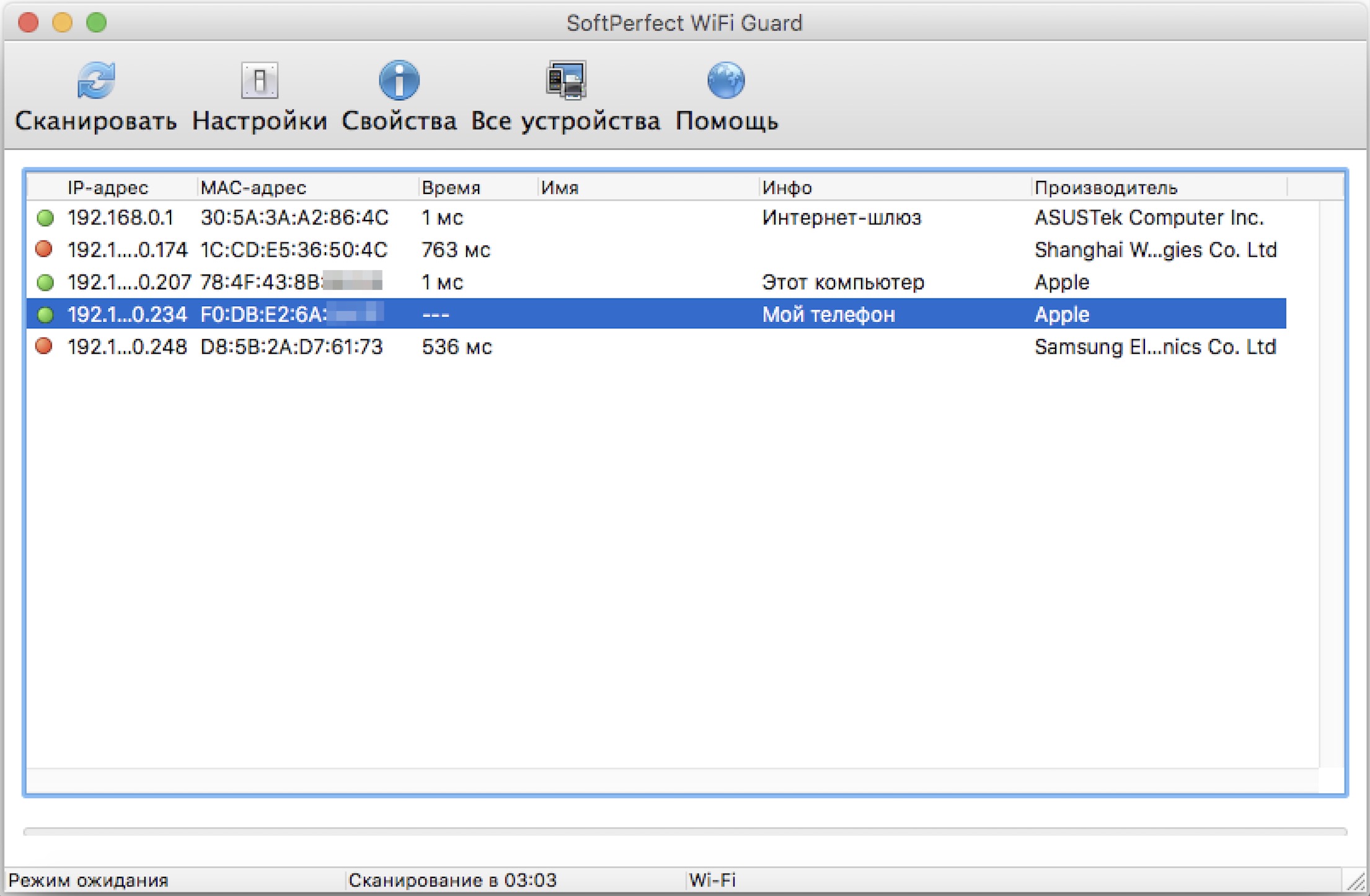
For this test, we will need the SoftPerfect WiFi Guard program. The SoftPerfect WiFi Guard scans the network and shows the user a list of currently connected devices, providing available information about them, such as MAC address, manufacturer, and internal IP address (the latter is only interesting to specialists).
SoftPerfect WiFi Guard can also operate in passive monitoring mode, scanning the selected network at a specified interval, and notifying the user of any unknown devices found via a pop-up window. In simple terms: if a neighbor suddenly connects to your Wi-Fi, the program will detect it and notify you.
SoftPerfect WiFi Guard is available on devices running Windows and macOS. The free version of the program limits the output to five devices: if five or fewer devices should be connected to your Wi-Fi, the free version will suffice; if more, you will need to pay $19 for a license.
Using SoftPerfect WiFi Guard on Windows and macOS
The program works similarly on all devices, so we will demonstrate using macOS as an example. Once you familiarize yourself with the instructions, you will have no trouble running the program on Windows or Linux.
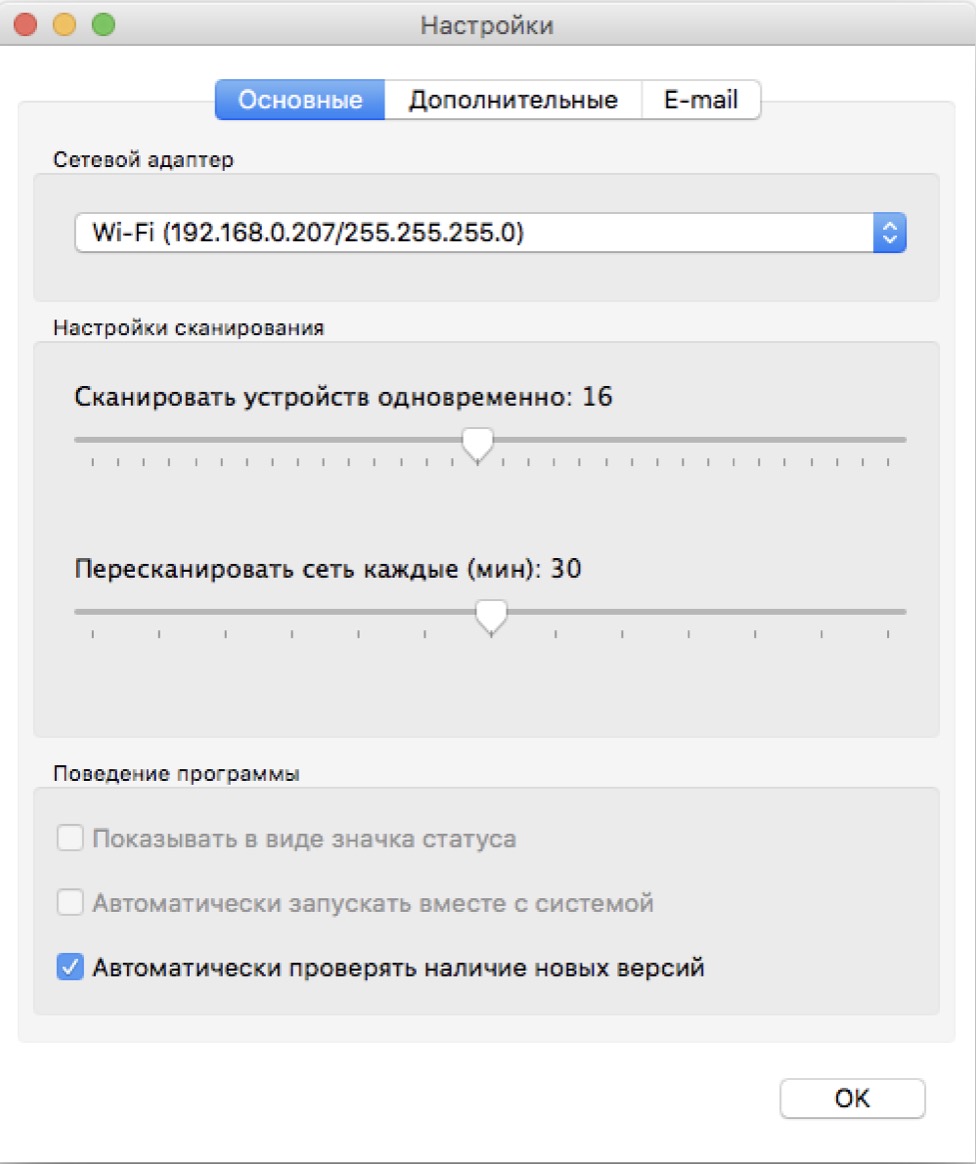
To get started, download and install SoftPerfect WiFi Guard on your device. When you launch WiFi Guard, you will be prompted to configure the program immediately. The key here is to select the Wi-Fi network adapter.
Now let's move on to scanning the network. Don't be alarmed if the system detects unknown devices on your network during the first scan. For the program, all devices are currently unknown except for your computer from which the scan is being run. The unknown devices found are likely your phones, tablets, or devices belonging to your family members.